



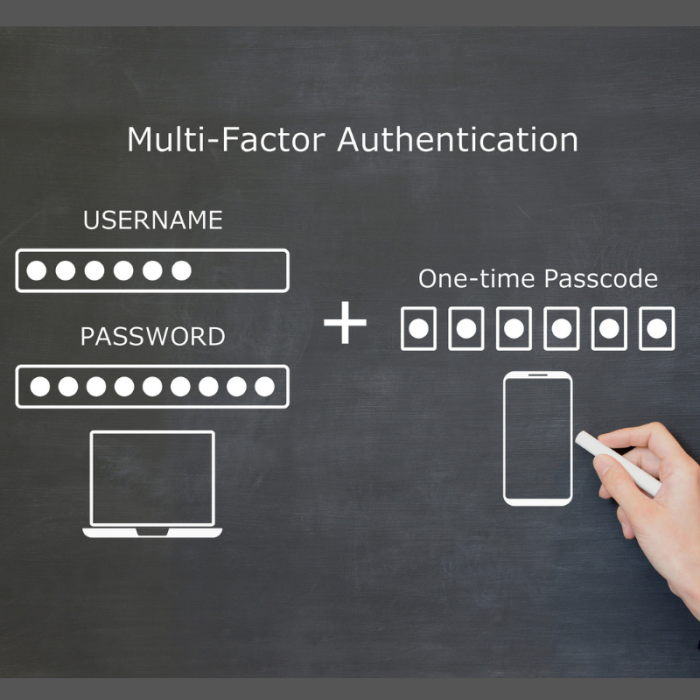
In today’s world, fraudsters don’t need to steal your wallet to get into your bank account; they just need to steal your login. That’s why multifactor authentication (MFA) or two-factor authentication(2FA) has become one of the most important tools for keeping your financial information safe.
MFA or 2FA adds an extra layer of protection by requiring you to confirm your identity in more than one way. Even if someone gets your password, they still can’t get in without that second step.
How MFA or 2FA Protects You From Fraud
- Extra security layer - Passwords can be guessed, stolen, or leaked through data breaches. MFA or 2FA makes your account far harder to break into by requiring a second proof point, like a text code or a random authentication app code.
- Stops unauthorized logins - If a fraudster tries to sign in, you’ll receive an alert asking you to verify the attempt. If it wasn’t you, you’ll know instantly.
- Protects your banking apps – Digital banking is convenient, but it’s also a target. MFA or 2FA helps ensure only you can access your accounts, even if your device is lost or stolen.
- Reduces identity theft - Many fraud attempts start with stolen personal information. MFA or 2FA helps block criminals even when they have pieces of your data.
Why Fraudsters Target Your Devices
Your phone, tablet, and computer are gateways to your financial life. With access to your email or text messages, a fraudster can:
- Reset your banking passwords
- Approve fraudulent transactions
- Access saved account information
- Intercept security alerts
MFA or 2FA helps shut down these tactics by requiring real‑time confirmation from you, not just access to your device.
Types of MFA or 2FA You May Already Be Using
- Text message codes - A one‑time code sent to your phone.
- Authentication apps - Apps like Microsoft Authenticator or Google Authenticator generate secure codes.
- Biometrics - Fingerprint, facial recognition, or device unlock features.
- Email verification - A confirmation link or code is sent to your inbox.
Each method adds friction for fraudsters, but not for you.
What This Means for Your Banking Security
When you enable MFA or 2FA on your banking apps and devices, you’re doing more than adding a login step. You’re:
- Protecting your money
- Reducing your risk of fraud
- Making it harder for criminals to impersonate you
- Gaining peace of mind every time you sign in
It’s one of the simplest, most effective ways to stay secure in a digital‑first world.
How to Strengthen Your Protection Today
- Enable biometrics on your phone and tablet - Because traits like fingerprints and facial structure are unique and hard to duplicate, they offer a more secure alternative to passwords.
- Add MFA or 2FA for your mobile banking app – You can find the settings for our digital banking app by going to Profile > Settings > Security and enabling Two-Factor Authentication with the “Require at Each Login” option turned on.
- We recommend you use an authentication app such as Microsoft Authenticator or Google Authenticator instead of text codes when possible
- Keep your device software up to date – Most phones, tablets, and computers offer an option to automatically install updates for both the operating system and your apps. Turning this feature on is one of the easiest ways to stay protected, since updates often include important security fixes that block newly discovered vulnerabilities.
- Never approve an MFA or 2FA request you didn’t initiate
- Stay alert to impersonation attempts - Fraudsters often trick people through unexpected calls, texts, or emails claiming to be from a financial institution. If you receive a message you weren’t expecting, don’t click, reply, or share personal information. Instead, hang up and contact the company directly using a trusted phone number on their website.
Each of these safeguards adds another layer of protection. Together, they create a strong, simple defense for your financial life.